Key takeaways
- What a sales workflow is (and isn’t)
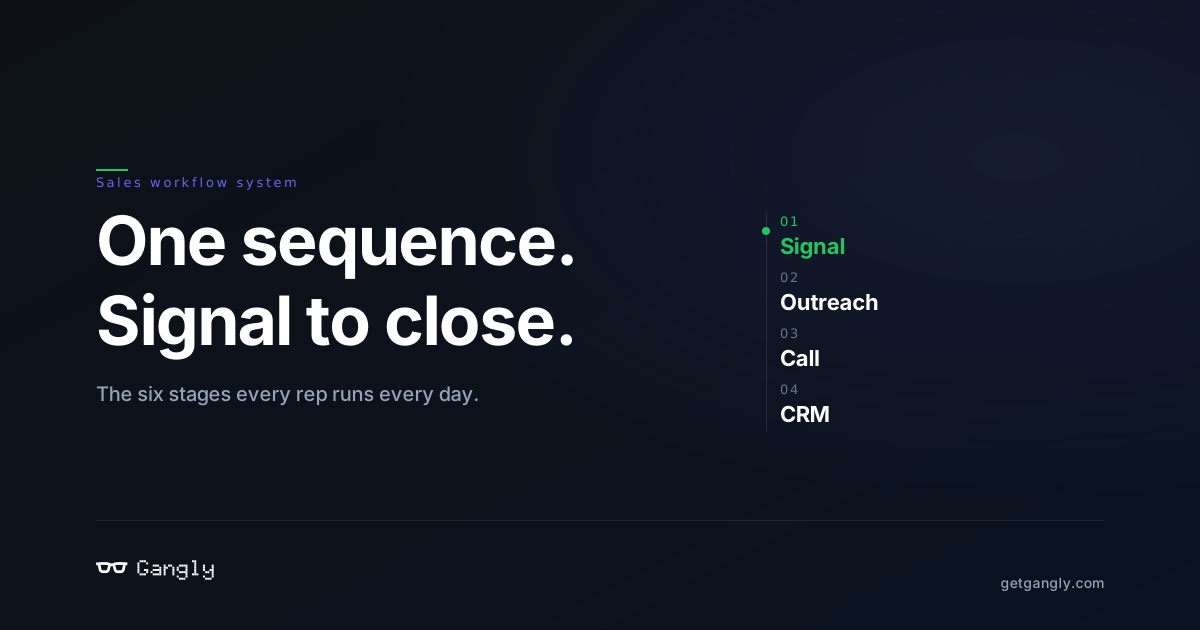
- The six stages of a modern workflow
- How workflows change quota attainment
A sales workflow is the connected sequence reps run daily — signal to outreach, call prep, live coaching, notes, CRM sync. Definition and build guide.
TL;DR — A sales workflow is the connected sequence a rep runs every day: signal → outreach → call prep → live call → post-call notes → CRM sync. Most reps run it in 7 different tools. Gangly runs it in one.
What a sales workflow actually is
"Sales workflow" gets thrown around as a synonym for "sales process" or "sales funnel." They're not the same thing. A sales process is the high-level path a deal takes (prospect → qualify → close). A sales funnel is the aggregate view of how many accounts sit in each stage. A sales workflow is something smaller and more concrete: it's what a single rep actually does in a given hour of a given day.
It's the sequence of actions — find the warm account, research the contact, write the message, book the call, prep for the call, run the call, write the notes, update the CRM, plan the follow-up. Every sales org has a workflow even if it's never been mapped. The question is whether it's explicit or accidental.
The six stages of a modern sales workflow
A workflow that moves a rep from cold to closed has six connected stages. Each one feeds the next:
1. Signal detection
The rep learns a target account just got warm — a new exec hire matching their ICP, a Series B funding round, a relevant LinkedIn post, a pricing-page visit captured in the CRM. Without signals, reps default to volume outbound, which is expensive and low-hit. With signal-based selling, the rep sends fewer messages with higher relevance.
2. Outreach writing
The rep drafts a message tied to the specific signal. Not a template variable swap — a message that couldn't have been sent to anyone else. Reply rates on signal-tied outreach run 3–5× higher than generic sequences. The Outreach Writer turns the signal into a first-touch draft the rep reviews and sends.
3. Call prep
The meeting's booked. Before the call, the rep needs: account context, contact background, prior touchpoints, likely objections, a talk track. Most reps do this in 30 minutes by tab-hopping across LinkedIn, Crunchbase, the CRM, and Notion. The Call Prep Engine compiles this brief automatically in under 5 minutes.
4. Live call coaching
During the call, the rep hits objections. A great rep reframes. A ramping rep freezes. A live call coach catches the objection as it surfaces and feeds the rep the right rebuttal inline — no after-the-fact replay needed.
5. Post-call notes
The rep has 30 minutes between calls. They can either write the note now (eating their prep time for the next call) or push it to end-of-day (when half of it is forgotten). Automated post-call notes capture the call, structure it against MEDDIC or BANT fields, and write the CRM entry.
6. CRM sync
The note has to land in the CRM with the right fields filled, activities logged, next steps assigned. The CRM Hygiene Engine pushes everything into HubSpot / Salesforce / Pipedrive without the rep opening the CRM.
Why workflow connection matters more than tool selection
Most sales orgs already have tools for each stage. They have Apollo for data, Lavender for email, Gong for call recording, Fireflies for notes, Salesforce for CRM. The problem is the seams. The rep copies the signal from Apollo, rewrites it in Lavender, recaps the call in Gong, extracts notes from Fireflies, pastes them into Salesforce. Five tools. Four copy-pastes. Thirty minutes of pure overhead per meaningful account.
Every copy-paste is a place where information decays. By the time the signal reaches the CRM, it's been through four translations. The "warm" from the signal feed becomes "lead" in the CRM becomes "opportunity" in the forecast. Workflow sequencing collapses this into one flow.
What a workflow tool does (and doesn't do)
A sales workflow tool is not a CRM. It doesn't replace HubSpot or Salesforce — it writes to them. It's not an AI SDR. It doesn't send messages autonomously — it drafts and the rep sends. It's not conversation intelligence either. It prepares you for the call instead of reviewing it after.
A workflow tool sits upstream of the CRM and downstream of the signal. Its job is to stitch the workflow so the rep stops doing the glue work by hand.
How to map your own workflow
If you're an individual rep, do this exercise once: pull up one closed-won deal from the last quarter. Trace every action you took — every tab you opened, every message you drafted, every minute you spent. That's your workflow. Now add it up. A typical AE spends 5 hours on admin for every 3 hours of actual selling. That ratio is the lever.
If you're a sales manager, do this with three reps on your team — one top performer, one middle, one ramping. The top performer has usually optimized their workflow into a repeatable sequence. The ramp rep is drowning in the glue work. The gap between them isn't talent — it's the workflow.
Signals a workflow needs fixing
- Prep time is unbounded. If the rep's calendar shows 30+ minutes blocked for call prep, that's a fixable problem.
- Reply rates are below 5%. High-volume generic outreach almost always indicates no signal layer.
- CRM data is stale. Deals sit in the wrong stage. Activities aren't logged. This is the tell that the sync step is broken.
- Managers review calls in batches. A manager catching mistakes a week late means the rep's already repeated them 10 times. Live coaching beats retrospective review.
- Handoffs are verbal. If SDRs and AEs pass deals in Slack messages, the workflow is held together by tribal knowledge, not system.
Where to start
Pick one stage. Instrument it. Ship the data back into the rest of the workflow. The worst place to start is everywhere at once — the best place is the stage where the rep spends the most manual time. For most AEs, that's post-call notes + CRM sync. For most BDRs, it's signal + outreach.
Gangly covers the full six-stage workflow in one connected sequence — see the product overview or start a 14-day free trial.
Frequently asked questions
No. The process is the path a deal travels from prospect to close. The workflow is the specific actions a rep performs each day to move deals through the process.
Six in its modern form: signal detection, outreach writing, call prep, live call coaching, post-call notes, and CRM sync. Some orgs add a seventh stage for sequencing across channels.
Both. The CRM is your system of record. The workflow tool sits upstream and feeds clean data into it. Gangly writes into HubSpot, Salesforce, and Pipedrive — it doesn't replace them.
Yes — you can stitch Apollo + Lavender + Gong + Fireflies + Salesforce manually. Most teams that do this find the seams eat 8+ hours of rep time per week. A single workflow tool collapses those seams.
The first complete workflow (signal to CRM sync) runs in under 5 minutes on Gangly. Reps typically hit full adoption within two weeks — measured by the percentage of their pipeline moving through the connected workflow vs. side channels.
Run your full sales workflow in one place.
Signal, outreach, call prep, live coach, notes, CRM sync. 14-day free trial.
Run the workflow
Try Gangly free for 14 days.
First workflow live in 5 minutes. No credit card. Cancel any time.