TL;DR
- CRM hygiene is the continuous practice of keeping every record complete, accurate, consistent, timely, unique, and valid — six pillars, not five, not seven.
- B2B contact data decays at 22–30% per year (ZoomInfo, HubSpot). Untreated, your pipeline is a year-old snapshot within 12 months.
- The old quarterly cleanup project is the wrong fix. The right fix is a 4-step weekly workflow — capture, validate, sync, review — that runs after every rep interaction.
- Five metrics decide if hygiene is working: field-fill rate, activity recency, duplicate rate, stage-to-activity match, forecast accuracy. Miss one and the forecast starts lying.
- Automation handles the mechanical 80% (note drafting, duplicate detection, stale-deal alerts). The rep owns the 20% that needs judgement — and clicks approve on every sync.
Snippet answer
CRM hygiene is the ongoing practice of keeping every record in your CRM complete, accurate, consistent, timely, unique, and valid — so the pipeline you see is the pipeline that actually exists. It is not a quarterly cleanup. It is a workflow that runs after every rep interaction to keep deal records, contacts, and activities current within minutes of the event.
CRM hygiene, defined in plain English
CRM hygiene is a workflow, not a project. It is the ongoing practice of keeping every record in your CRM — accounts, contacts, deals, activities — in a state a human can trust when they open it three weeks later. The definition most RevOps teams use is borrowed from data quality literature: hygiene is the discipline of maintaining data that is complete, accurate, consistent, timely, unique, and valid. Six pillars. We break each down in a minute.
The short version is simpler. Clean CRM data means: when a manager pulls a pipeline report, the numbers are real. When a rep filters for warm accounts, the filter returns warm accounts. When a forecast is rolled up, the forecast is not a lie. Dirty CRM data means every one of those operations returns fiction. The reports are wrong. The filter is broken. The forecast is vibes.
Definition
CRM hygiene: the ongoing practice of keeping every record in your CRM complete, accurate, consistent, timely, unique, and valid — so the pipeline you see is the pipeline that actually exists. It runs continuously, as a workflow, not quarterly as a cleanup project.
Here is what CRM hygiene is not. It is not data enrichment (adding phone numbers and firmographics from a third-party vendor). It is not data migration (moving from HubSpot to Salesforce). It is not lead scoring (ranking contacts by fit). Those are adjacent projects that benefit from clean data — but they do not produce clean data by themselves. Hygiene is the work that makes every other CRM project worth running.
Why CRM hygiene matters: the hidden tax on pipeline
The cost of dirty CRM data is invisible right up until it is not. A rep pulls a list of "warm accounts with pricing visits in the last 14 days" and gets 8 results. Three of them are old deals that should have been closed. One is a duplicate. Two have wrong email addresses. The rep is left with 2 usable accounts — and does not know that the filter was lying about the other 6.
Pipeline decisions cascade from the CRM. If the CRM is wrong, every decision downstream is wrong. Forecast meetings turn into arguments about what stage a deal is actually at. Territory assignments produce double-coverage on some accounts and zero-coverage on others. Sequences fire to contacts who left the company six months ago. Every one of those failures traces back to the same root cause: the CRM record does not match reality.
The numbers are public, if unpleasant. Validity's 2023 State of CRM Data Management found that 44% of salespeople estimate they lose more than 10% of revenue annually to poor data. Gartner pegs the average cost of poor data quality at $12.9M per year for large enterprises. HubSpot research consistently shows 22–30% of B2B contact data decays per year — meaning a clean CRM today is a 70-percent-clean CRM in 12 months if nothing else changes.
For a 10-rep team, the tax looks like this. 9.2 hours per week per rep on CRM data entry and cleanup (the industry median across several time-audit studies). Call it 450 hours a week across the team. At an AE loaded cost of $150 per hour, that is $67,500 a week of selling time spent on admin. Across a quarter: $877,500. The CRM hygiene problem is a million-dollar-a-quarter problem before anyone mentions forecast accuracy. See the cluster pillar on how top reps save 10+ hours a week for the broader time-cost picture.
22–30%
Annual data decay
B2B contact records that go stale in 12 months (HubSpot, 2024).
44%
Reps losing revenue
Estimate 10%+ annual revenue lost to poor data (Validity, 2023).
9.2hrs/wk
Rep time on CRM admin
Median AE hours on CRM data entry, pre-automation.
3×
Forecast error multiplier
Dirty vs clean CRM — reported forecast drift in pipeline reviews.
The 7 signs your CRM is already dirty
Most teams do not audit their CRM hygiene. They audit their pipeline. The symptoms show up downstream — in misses, in inspection arguments, in sequences that reply-bounce. Here are the seven early signs that the CRM is already dirty. Read through and count how many you recognize.
- 1. Deal stages that do not match deal activity. A deal marked "Evaluation" where the last activity was a discovery call. A "Proposal" with no pricing email logged. Stage-to-activity mismatches are the first sign the pipeline is out of sync with reality.
- 2. Open deals with no activity for 14+ days. The deal is either won, lost, or ghosted — but the CRM still says "active". Ghost deals inflate the forecast and hide the real pipeline underneath.
- 3. Required fields blank on 20%+ of records. Industry missing on the account. Title missing on the contact. Lead source missing everywhere. Every blank required field breaks a report that depends on it.
- 4. Close dates that move every week. The deal that was going to close May 15 is now closing May 22 is now closing May 29. A rolling close date is not a close date — it is a hope.
- 5. Duplicate contacts and accounts. Sara Chen appears three times. Acme, Acme Inc, and Acme, Inc are three separate accounts. Duplicates split activity and break routing.
- 6. Inconsistent field values. Deal size logged as "$50k" on one deal and "50000" on another. Industry as "SaaS" on one account and "Software" on another. Inconsistent values make dashboards return different answers to the same question.
- 7. Activities logged days after they happen. The call was Tuesday. The CRM note was written Friday. Details are missing, the next step is vague, and the note reads like a summary instead of a decision record. The further the lag, the less useful the record.
Three or more of these and the CRM is in active decay. Five or more and the pipeline review is running on fiction. The good news is that every one of these has a specific fix — and they are all downstream of the same workflow problem. If the capture step is broken, everything below it breaks too.
The 6 pillars of clean CRM data
Data quality literature calls these the six dimensions of data quality. In a CRM context they are the six pillars a rep and a RevOps team together have to uphold. Miss one and the whole system tilts.
- 1
Completeness
Every required field on every live record. No blank industry on the account, no missing title on the contact, no empty close date on the open deal. A field is required for a reason — leaving it blank breaks every downstream query that depends on it.
- 2
Accuracy
The value in the field matches reality. The contact still works there. The deal is still at the stage marked. The close date is what the buyer actually committed to — not the stub the rep typed six weeks ago.
- 3
Consistency
Identical data, identical format. "Series B" is not the same as "series b" or "Series-B" or "Post-A, pre-C". Pick one value per field and reject the others at write time. Consistency is how dashboards stop lying.
- 4
Timeliness
The record reflects what happened yesterday, not what happened in Q3. A deal last updated 47 days ago in a 30-day sales cycle is not a deal — it is an artifact. Time is the silent CRM killer.
- 5
Uniqueness
One record per real-world entity. No three contact records for the same person. No duplicate account for Acme vs. Acme Inc. vs. Acme, Inc. Duplicates split activity, poison routing, and make rep territory a warzone.
- 6
Validity
Every value is one the system can use. Email addresses that parse. Phone numbers in the right format. Deal stages that match the pipeline you actually run. Invalid data is dead data — it sits in the CRM and does nothing.
Two of the pillars get almost all the attention — accuracy and uniqueness. The other four are where teams fail silently. Completeness is the one most teams fake by making fewer fields required. Timeliness is the one that decays without anyone noticing. Consistency is the one that makes every dashboard lie by 15%. Validity is the one that breaks in week 3 when someone imports a CSV with a trailing space on every email.
Key insight
Accuracy is what gets audited. Timeliness is what decays. Consistency is what makes the dashboard lie. Completeness is what teams fake by making fields optional. Uniqueness is what breaks routing. Validity is what fails on import.
How to maintain CRM hygiene: the 4-step weekly workflow
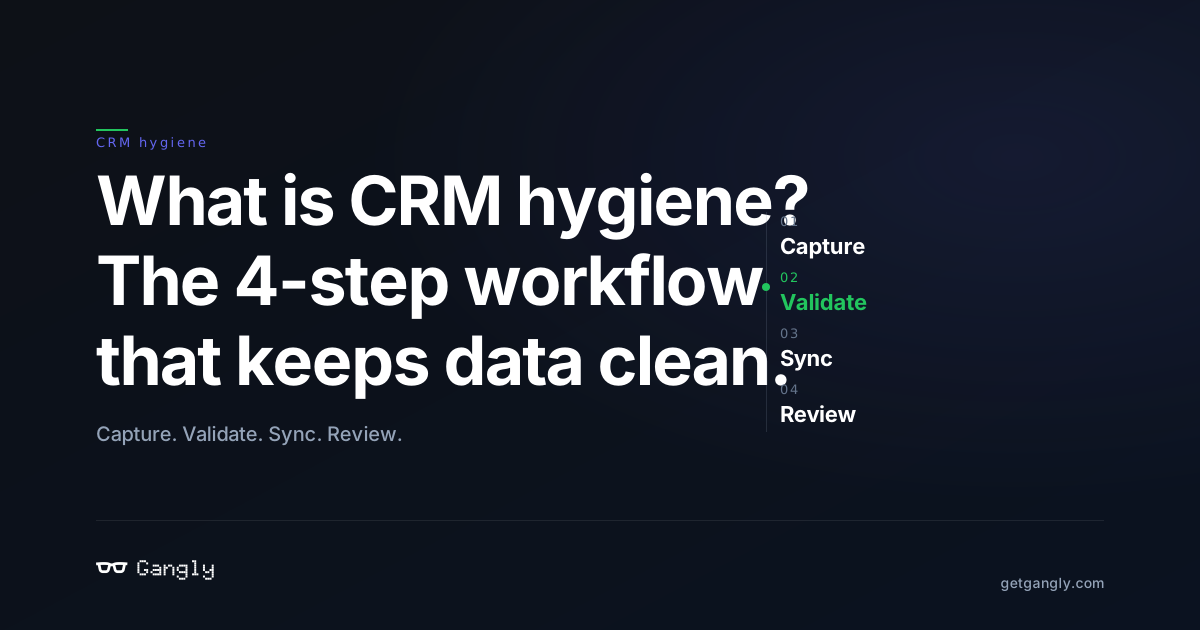
The workflow is four steps and 90 seconds per call, plus 15 minutes on Friday. That is it. The trick is that the workflow runs after every rep interaction, not once a quarter. One pass, every time, instead of a sprint every 90 days.
- 01
Capture
0 minAt the moment of a call, email, or meeting, the record gets written while the context is still in the rep's head. No "I'll update it later" — later is when the data decays. The capture step is where most hygiene fights are won or lost.
- 02
Validate
+30 secRequired fields enforced on save. Duplicate check runs. Email format is parsed. Deal stage and next activity are suggested from the conversation, not guessed on Friday. The rep confirms or overrides — the system never writes without a human click.
- 03
Sync
+1 minThe note, task, and field updates land in HubSpot or Salesforce in one action. The deal record goes from "out of date" to "current" before the rep opens the next browser tab. Sync is where the 4-step workflow becomes pipeline.
- 04
Review
WeeklyFriday 15 minutes. Stale deals with no activity in 14 days — nudge, qualify, or close. Missing required fields — fill or remove. One weekly loop replaces the quarterly cleanup project no one wants to run.
Here is what a single pass looks like in practice. Rep finishes a Zoom demo at 11:02am. Capture fires: the transcript drafts a 5-part note against the standard template. Validate checks the required fields — stage, close date, next activity — and suggests values inferred from the call ("buyer committed to procurement review by May 8"). Sync runs on the rep's click: note lands on the deal, task created for the follow-up, stage advanced from Demo to Evaluation with a reason in the note. The CRM that was out of date at 11:02am is current at 11:03am.
Friday's 15-minute review is the backstop. The rep opens a saved view: "My open deals with no activity in the last 14 days." Three deals show up. One is stalled waiting on legal — the rep logs a note. One is actually lost — the rep closes it. One is a customer who already signed — the rep marks it won and congratulates themselves. Fifteen minutes, three deals cleared, pipeline report is now accurate. For the deeper mechanics of the capture step, see our guide on post-call note automation.
Weekly time budget
- · Per-call workflow: 90 seconds × 10 calls/week = 15 minutes
- · Friday 15-minute review: stale deal sweep + blank-field check
- · Total rep hygiene time per week: ~30 minutes
- · Compared to pre-workflow manual admin: 9.2 hrs/week → 0.5 hrs/week
8 common CRM hygiene failures (and how to fix each)
Every dirty CRM fails in one of eight ways. The fixes are not clever — they are workflow-level changes that close the door the dirt came through. Here is the list, in rough order of how often they appear in an audit.
- 1
Stage drift
Deal logged in "Evaluation" three weeks ago, now actually in "Proposal" — but nobody moved it. The fix: stage is inferred from the call transcript and the rep confirms on every post-call sync. No stage movement without a reason.
- 2
Ghost deals
A deal sits open for 90 days with no activity logged. It is either dead or the rep forgot to close it. The fix: a 14-day stale-deal nudge — either log an activity, mark the next step, or set it to lost. No deal coasts.
- 3
Duplicate contacts
Three records for Sara Chen at Acme — one with the work email, one with the personal, one with a typo. Routing breaks, sequences double-send, the rep looks unprofessional. The fix: duplicate detection at write time, not quarterly merge jobs.
- 4
Blank required fields
"Industry" blank on 40% of accounts. Lead source blank on 60% of contacts. Reports break silently because the query returns half the dataset. The fix: required fields enforced at the point of creation, not patched up in a sprint.
- 5
Vague next steps
"Follow up with Bob" is not a next step. It has no date and no specific ask. The fix: every post-call note writes a next step with an owner and a due date — or the sync is blocked until the rep fills one in.
- 6
Close-date fiction
Close dates that move by a week every week. The forecast becomes a rolling lie. The fix: close-date changes require a reason in the note. If the date moves three times, the stage regresses and the deal goes back into qualification.
- 7
Wrong deal stage
Rep advances a deal to "Closed Won" to hit a spiff, or parks a dead deal at "Evaluation" to protect the forecast. The fix: stage criteria written into the pipeline itself, and post-call inference that flags the mismatch before the rep can commit it.
- 8
Activities not logged
The call happened. The CRM does not know. No transcript, no note, no task. The fix: the calendar invite links to the deal, and the post-call workflow drafts the note automatically. Activities log themselves — the rep reviews and syncs.
Six of the eight failures are caught at the capture step. Stage drift, ghost deals, vague next steps, close-date fiction, wrong deal stage, activities not logged — all solved by a post-call workflow that drafts the note, suggests the field values, and blocks the sync until required fields are filled. Duplicate contacts and blank required fields need upstream controls (duplicate detection at write time, mandatory fields on record creation) but the workflow still catches most of them before they spread. For the CRM automation mechanics underneath, see CRM automation for sales reps.
CRM hygiene by role: rep, manager, RevOps
CRM hygiene fails when ownership is vague. The common mistake is to assign it to RevOps and call it done — but RevOps owns the system, not the record. The record is owned, at the moment it is written, by the rep. Here is the split that actually works.
| Role | What they own | Cadence |
|---|---|---|
| Rep (AE/BDR) | Capture: the post-call note, stage update, next activity, close date — on every interaction. | Every call (90 sec) |
| Sales manager | Review: pipeline inspection, stale-deal sweep, forecast challenge based on activity, not stage. | Weekly (30 min) |
| RevOps | System: field design, validation rules, duplicate detection, pipeline stages, reports, workflow automation. | Quarterly (1 day) |
When the split works, the rep's load is tiny — about 30 minutes a week. The manager gets a 30-minute review that actually tells them something. RevOps spends a quarterly day on the system design and gets left alone the rest of the quarter. When the split breaks — usually because the rep's load is huge, the manager's review is pointless, or RevOps is firefighting weekly — the first thing to check is the capture step. The workflow is almost always the broken piece.
The trap most teams fall into is the opposite split: RevOps is told to "own CRM hygiene" and ends up the janitor. Reps deprioritize data entry because it is "ops's job". Managers run forecast meetings off a broken report and blame the tool. Within a quarter, RevOps is burnt out, the pipeline is fiction, and the VP asks why nobody caught the decay. The fix is not more RevOps headcount — it is pushing the capture step back to the moment of the call, where the rep owns the record because the rep is the one who has the context.
The 5 metrics that prove CRM hygiene is working
Five numbers, tracked monthly. Hit all five and the pipeline report is honest. Miss one and something is rotting underneath. These are the numbers to put on the RevOps dashboard and on the sales manager's weekly review.
| Metric | Formula | Target |
|---|---|---|
| Required field fill rate | Records with all required fields / total open deals | ≥ 95% |
| Activity recency (median) | Median days since last logged activity on open deals | ≤ 7 days |
| Duplicate account rate | Duplicate accounts / total accounts | ≤ 2% |
| Stage-to-activity match | Deals whose stage matches last activity / open deals | ≥ 90% |
| Forecast accuracy | | Committed at week 1 − closed at week 12 | / committed | ≤ 10% drift |
Forecast accuracy is the one number a VP of Sales cares about. The other four are leading indicators — they drift first, and forecast accuracy drifts three weeks later. Track all five so the team can fix the upstream problem before the VP notices the downstream one. See the rep-side of the same equation in our guide to reducing sales admin time by 80%.
Manual cleanup vs continuous hygiene — what actually scales
Most teams still run hygiene the old way — a quarterly sprint, usually handed to an intern or a RevOps generalist, to merge duplicates and fill blank fields. It does not work at scale. By the time the cleanup finishes, 90 days of new decay is already on the record. The project becomes a treadmill.
| Approach | Manual quarterly cleanup | Continuous workflow hygiene |
|---|---|---|
| Cadence | Once per quarter | After every call + weekly review |
| Time per rep / month | 36 hrs (1 big sprint/quarter) | 2 hrs |
| Data freshness | Clean on day 1, stale by day 30 | Clean continuously |
| Forecast accuracy | High variance — drifts between cleanups | Stable — no cleanup spikes |
| Who runs it | Intern or RevOps generalist | Rep + manager + automation |
The honest verdict: the quarterly cleanup is not wrong, it is insufficient. Even on a continuous workflow, you want a quarterly audit to catch the edge cases the daily workflow missed — custom-object orphans, inactive-user records, import residue. But the quarterly audit should be thin because the daily workflow kept 95% of the CRM clean. A quarterly audit that takes a week is a sign the workflow is broken.
How Gangly keeps your CRM clean automatically
Gangly runs the 4-step hygiene workflow as the post-call step of a rep's day — automatically, on every call, without asking the rep to remember it. The product bridge is three features working together:
- CRM Hygiene Engine — suggests stage progression, close date, and next activity from the call transcript. Detects stale deals and nudges the rep to update or close. Prevents deals from logging with missing required fields. The rep confirms or overrides — the engine never writes without approval.
- Post-Call Notes — drafts the 5-part CRM note from the live Zoom or Google Meet transcript. The rep reviews in 30 seconds and clicks sync — the note, task, and stage update all land in HubSpot or Salesforce in one action.
- Workflow Sequencer — ties the post-call workflow to the upstream signal and the downstream follow-up, so the rep does not have to copy-paste between Zoom, HubSpot, and Gmail. Every stage of the rep's day writes to the CRM in the same pass.
The result is a CRM that stays clean because the rep does not have to remember to clean it. Hygiene stops being a project. It becomes the by-product of the rep running their normal workflow — with Gangly handling the typing, the field inference, and the sync. If you want the broader category context, read our pillar on what an AI sales workflow is — this post sits inside it.
Run the workflow
Stop cleaning the CRM on Fridays. Keep it clean on every call.
14-day free trial. Connect HubSpot or Salesforce in 3 minutes. No credit card.
Frequently asked questions
What is CRM hygiene, in one sentence? +
CRM hygiene is the ongoing practice of keeping every record in your CRM complete, accurate, consistent, timely, unique, and valid — so the pipeline you see is the pipeline that actually exists. It is not a quarterly cleanup project. It is a workflow that runs after every rep interaction (call, email, meeting) to keep the CRM current within minutes of the event, not weeks.
Why does CRM hygiene matter for sales teams? +
Dirty CRM data makes every sales decision worse. Forecasts drift. Deal routing breaks. Sequences double-send. Managers run pipeline reviews on fiction. Research from Validity and Gartner puts the cost of poor CRM data at 15–25% of revenue for most B2B teams. CRM hygiene is how that tax goes away — the rep keeps selling, the manager gets a forecast they can trust, and RevOps stops running emergency cleanups.
How often should you clean your CRM? +
The old answer — "quarterly" — is wrong. A quarterly cleanup is 90 days of data decay in one painful sprint. The right cadence is continuous: every rep interaction updates the record within minutes (capture + validate + sync), and a 15-minute weekly review catches stale deals and blank fields. Quarterly audits still happen — but they are thin because the daily workflow keeps the CRM clean.
What causes dirty CRM data? +
Three causes, in order of impact. First: manual data entry by reps who already spent 5 hours on admin and have no time to be thorough. Second: data decay — 22–30% of B2B contact data goes stale per year as people change jobs. Third: no validation at the point of write, which lets inconsistent or duplicate records slip in. Fix the capture step and you solve 80% of CRM hygiene.
Who is responsible for CRM hygiene — the rep, the manager, or RevOps? +
All three, in different roles. The rep owns the record at the moment of the interaction (capture and validate). The manager owns the pipeline review cadence (weekly, catch stale deals). RevOps owns the system — field design, validation rules, duplicate detection, automation. If any of the three stops doing their part, the CRM goes dirty within 30 days. The rep's load is lightest when the system is designed well.
How do you measure CRM data quality? +
Five metrics. (1) Required field fill rate on open deals — target 95%+. (2) Median days since last activity on open deals — target under 7. (3) Duplicate account rate — target under 2%. (4) Stage-to-activity match rate — target 90%+. (5) Forecast accuracy — the delta between committed pipeline at week 1 and closed revenue at week 12. Track all five monthly. If one drifts, the workflow is broken.
Can you automate CRM hygiene? +
The boring parts, yes. Field validation, duplicate detection, stale-deal alerts, and post-call note drafting all automate cleanly. The judgment parts — is the deal really at Evaluation, is the close date honest, does this contact still work there — stay with the rep. A good CRM hygiene engine automates the 80% of work that is mechanical and surfaces the 20% that needs human review. Tools that fully automate writes (no rep approval) make data worse, not better.